Shopping for a pre-owned Apple iPhone involves navigating a massive spectrum of hardware generations, ranging from vintage classics to recent 5G flagships. Because the iOS ecosystem supports devices for many years, the secondhand market remains exceptionally active, offering viable options for everyone from casual users to performance seekers.
Prices for used Apple handsets span a wide continuum, with older legacy models sitting comfortably under the fifty-dollar mark, while recent-generation devices command several hundred dollars. Understanding what separates a bargain from an obsolete piece of hardware is the key to securing a reliable device.
Before making a purchase, buyers must look beyond the initial listing price to evaluate critical factors such as battery health, carrier unlocking status, and software update compatibility. This guide breaks down the pricing tiers, condition standards, and common pitfalls associated with buying pre-owned iOS hardware.
Understanding the Price Spread in Pre-Owned iPhones
The secondhand iPhone market features a distinct price distribution, with entry-level listings clustering below the fifty-dollar mark and modern variants scaling past four hundred dollars. The median price sits near the sixty-dollar threshold, heavily weighted by older, legacy generations that still maintain basic utility.
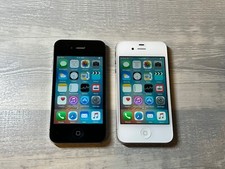
Devices sitting at the lowest end of the price spectrum are typically older iterations, such as early iPhone 5 or 6 series models. While functional, these budget units often have limitations regarding modern app support and network compatibility.
Mid-tier pricing generally encompasses devices from the iPhone SE and iPhone 11 or 12 generations. These models offer a balanced mix of modern app compatibility, acceptable battery performance, and reasonable processing power for everyday tasks without requiring a top-tier budget.
Condition Tiers Explained in Practice
When browsing used iOS devices, terms like mint, very good, and fair carry distinct practical implications for your daily experience. Mint or pristine condition units typically show virtually no signs of wear, housing clean screens and unblemished aluminum or glass backs.
Devices categorized as good or very good usually feature minor cosmetic flaws, such as light scuffs or hairline scratches on the casing from normal pocket wear, but their displays and internal components remain fully functional.
Fair condition listings often exhibit heavier cosmetic wear, including more pronounced scratching or minor display imperfections. While these units are budget-friendly, buyers should carefully verify that cosmetic blemishes do not compromise structural integrity or water resistance.
Software Support and Operating System Limits
One of the most crucial factors when buying an older used iPhone is determining how long Apple will support the device with software updates. Legacy models are permanently capped at older iOS versions, meaning many modern applications from the App Store will refuse to install or run.
Buyers looking for a reliable daily driver should aim for models compatible with recent iOS releases to ensure ongoing security patches and application compatibility. Buying a device that has already passed its final software update severely limits its long-term utility.
Always verify the specific model number and maximum supported operating system before purchasing, especially when considering deeply discounted legacy hardware that may function as little more than a basic media player or emergency phone.
Battery Health and Replacement Realities
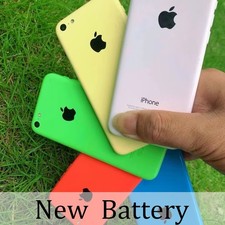
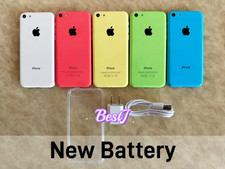
Battery degradation is an inevitable reality of pre-owned consumer electronics. Many listings specify whether a device retains an original battery above a certain percentage threshold or if a brand-new aftermarket battery has been installed.
Units with degraded batteries may experience unexpected shutdowns under heavy loads or suffer from severely reduced daily runtimes. Some sellers address this by installing fresh replacement cells, though third-party batteries may occasionally trigger non-genuine parts notifications in newer iOS builds.
When purchasing a used iPhone, checking the stated battery health percentage or factoring in the potential cost of an eventual battery replacement is essential for calculating the true total cost of ownership.
Carrier Compatibility and Activation Locks
A fully unlocked device offers the greatest flexibility, allowing the handset to be activated on major GSM and CDMA networks without carrier restrictions. Always confirm whether a listing is factory unlocked or locked to a specific carrier before committing.
Equally important is verifying that the device is free of iCloud activation locks and blacklisted IMEIs. A clean electronic serial number ensures the phone can be properly set up with a personal Apple ID without restriction.
Exercise caution with listings that advise against performing a factory reset upon arrival; this is often a red flag indicating a bypassed activation lock or an unstable software modification.
Before you buy
- Verify whether the device is factory unlocked for compatibility with your specific cellular carrier.
- Check the description for explicit mentions of battery health percentages or recent battery replacements.
- Confirm that the device has a clean IMEI and is completely free of active iCloud locks.
- Review the maximum supported iOS version to ensure your essential apps will install and run smoothly.
- Inspect photos closely for screen cracks, deep chassis gouges, or missing SIM trays.
- Factor potential accessory costs into your budget since charging blocks and cables are rarely included.
Frequently asked questions
Are older iPhone models still usable for daily tasks?
Very old models are generally restricted by outdated operating systems and lack modern app compatibility, making them suitable only for basic calling, texting, or media playback rather than modern daily apps.
What does factory unlocked mean for a used iPhone?
A factory unlocked device is not tied to any specific mobile network carrier, allowing the user to insert a compatible SIM card from almost any provider worldwide.
How can I tell if a used iPhone has a good battery?
Many reputable sellers list the battery health percentage in the description. For devices without a stated percentage, expect some level of degradation unless the listing explicitly notes a newly installed battery.
Do used iPhones come with chargers or accessories?
Most pre-owned listings include only the handset itself, meaning charging blocks, cables, headphones, and original retail boxes are typically sold separately unless stated otherwise.
What is the difference between fair and very good condition?
Very good condition indicates minor, surface-level wear from careful use, whereas fair condition typically involves more noticeable scuffs, scratches, or cosmetic blemishes that do not affect core functionality.
Should I buy a used iPhone with a replaced screen or battery?
Third-party repairs are common in the secondhand market and can offer functional savings, but buyers should check if the listing notes any resulting warning messages or reduced feature performance.